
Ready to get the Bounty Game download on your device? This guide covers every platform — Android APK, iOS App Store, and desktop browser — with exact installation steps, the unknown sources fix, device compatibility, and every installation error solved.
Jump to your platform:
- Android APK Download & Install
- iOS Download
- Desktop / Browser Access
- Installation Errors & Fixes
- After Install — What to Do Next
Bounty Game Download for Android (APK)
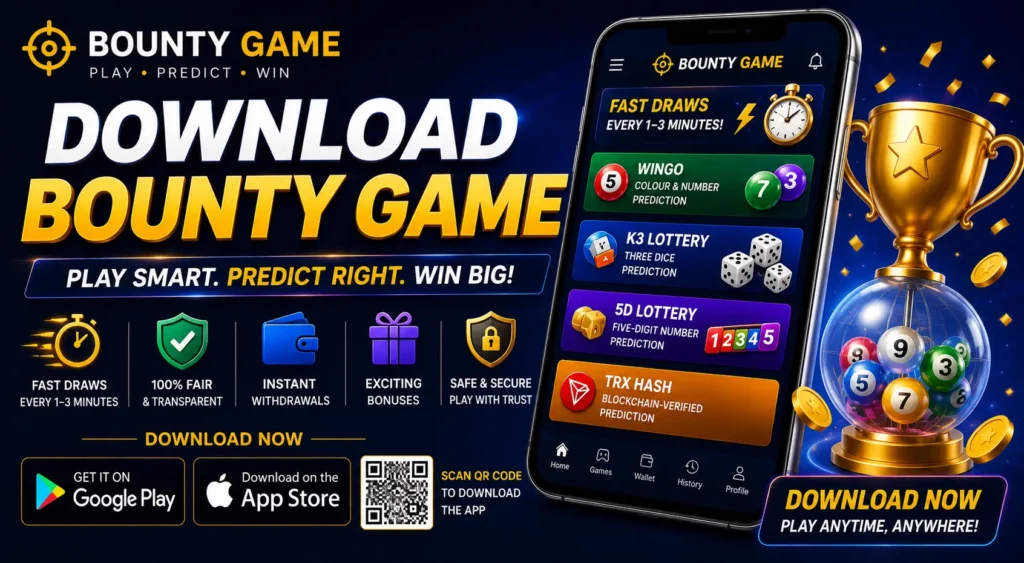
Android is the primary platform for Bounty Game and the most detailed install process because it uses an APK file rather than a Play Store listing. Follow every step in order.
Step 1 — Visit the Official Bounty Game Website
Open your Android phone’s browser — Chrome works best — and go to the official Bounty Game website. Always download from the official source. Third-party APK sites often serve outdated or modified files that can compromise your account and device.
Step 2 — Tap the Download App Button
On the homepage, find the Download App or Download APK button — usually prominently placed on the hero banner or the top navigation. Tap it. The APK file will begin downloading automatically.
You will see the download progress in your notification bar. The file size is typically between 15MB and 40MB, so it downloads quickly on any mobile data connection.
Step 3 — Enable Install from Unknown Sources
Because Bounty Game APK is not distributed through the Google Play Store, Android requires you to manually allow installation from sources outside the Play Store before the file can be installed.
Here is how to enable it — the path differs slightly by Android version:
Android 8 and above (most devices):
- When you tap the downloaded APK, a prompt appears: “For security, your phone is not allowed to install unknown apps from this source”
- Tap Settings in the prompt
- Toggle Allow from this source to ON
- Tap the back button to return to the installation screen
Android 7 and below:
- Go to Settings → Security
- Scroll to Unknown Sources
- Toggle it ON
- Confirm when prompted
Samsung devices (One UI):
- Go to Settings → Biometrics and Security → Install Unknown Apps
- Select your browser (e.g., Chrome)
- Toggle Allow from this source to ON
Security note: Once the Bounty Game app is installed, you can turn Unknown Sources back OFF. Leaving it permanently enabled is not recommended as it allows any APK to install without restriction.
Step 4 — Locate and Open the Downloaded APK
Open your Downloads folder — either through your file manager app or the notification bar where the download completed. Find the file named something like BountyGame.apk or bountygame_v[version].apk. Tap it to begin installation.
Step 5 — Tap Install
The Android package installer opens and displays basic app information. Tap Install at the bottom right. Installation takes 5–15 seconds.
Step 6 — Open the App
Once installation completes, tap Open to launch Bounty Game immediately, or find the Bounty Game icon on your home screen or app drawer.
That is the full Android download and install process. Your app is ready to use.
Bounty Game Download for iOS (iPhone & iPad)
iOS installation is simpler than Android because it goes through the App Store with no manual APK handling required.
Step 1 — Open the App Store
On your iPhone or iPad, tap the App Store icon from your home screen.
Step 2 — Search for Bounty Game
Tap the Search tab at the bottom of the screen. Type Bounty Game Download in the search bar and tap Search.
Step 3 — Select the Official App
From the search results, identify the official Bounty Game app. Check the developer name and review count to confirm it is the correct listing.
Step 4 — Tap Get
Tap the Get button next to the app listing. Authenticate with Face ID, Touch ID, or your Apple ID password when prompted.
Step 5 — Open After Install
Once downloaded, tap Open directly from the App Store page, or find the Bounty Game icon on your home screen.
iOS availability note: App Store availability varies by region. If Bounty Game does not appear in your regional App Store, access the platform through your mobile browser at the official website — the browser version provides full access to all games including lottery, colour prediction, and casino without needing a native app.
Bounty Game Access on Desktop (No Download Required)
Bounty Game does not require any software download to play on a computer. The entire platform runs in your browser.
- Open Chrome, Firefox, Safari, or Edge on your desktop or laptop
- Visit the official Bounty Game website
- Click Login or Register in the top-right corner
- Play all games — WinGo, K3, 5D, TRX Hash, colour prediction, casino — directly in the browser window
The browser version is fully identical to the app in terms of games, wallet, deposits, withdrawals, and bonuses. No extension, plugin, or software installation is needed.
Device Compatibility — Is Your Phone Supported?
| Platform | Requirement | Notes |
|---|---|---|
| Android | Android 5.0 (Lollipop) or higher | Most phones made after 2015 qualify |
| iOS | iOS 11.0 or higher | iPhone 6S and newer |
| RAM | 2GB minimum, 3GB+ recommended | Lower RAM may cause slow loading |
| Storage | 50MB free space minimum | For app + cached game data |
| Internet | 3G minimum, 4G/Wi-Fi recommended | Faster connection = smoother rounds |
| Browser (desktop) | Any modern browser | Chrome recommended for best performance |
Almost all smartphones sold in India from 2016 onward meet these requirements. If your device runs below Android 5.0, use the browser version on your phone rather than the APK.
Bounty Game APK Download Troubleshooting
“App Not Installed” Error
Cause: Incomplete download, corrupted APK file, or not enough storage space.
Fix:
- Delete the APK file and download it again from scratch
- Clear 100MB+ of storage on your device before retrying
- Make sure Unknown Sources is enabled before tapping the APK, not after
- Check that the APK file downloaded fully — a complete file should be 15MB or larger
“Parse Error” During Installation
Cause: The APK file is corrupted mid-download, or your Android version is incompatible.
Fix:
- Delete the file completely and re-download from the official site using a stable Wi-Fi connection
- Check your Android version: go to Settings → About Phone → Android Version and confirm it is 5.0 or above
- Try using a different browser for the download (switch from Chrome to the default Samsung browser or vice versa)
APK Downloaded but Nothing Happens When Tapped
Cause: No file manager or APK installer set as the default handler for .apk files.
Fix:
- Download a file manager app (e.g., Files by Google — free on Play Store)
- Open the file manager, navigate to Downloads, and tap the APK from there
- Alternatively, pull down the notification bar and tap the completed download notification directly
“Installation Blocked” Message Won’t Go Away
Cause: Unknown Sources is toggled but applied to the wrong app.
Fix:
- Go to Settings → Apps → Special App Access → Install Unknown Apps
- Check which app you are using to open the APK (your browser or file manager)
- Make sure Unknown Sources is enabled specifically for that app, not a different one
App Downloads but Crashes Immediately on Launch
Cause: Insufficient RAM, outdated firmware, or a cached conflict with a previous version.
Fix:
- Restart your device and relaunch the app
- If you previously had an older version of Bounty Game installed, uninstall it completely before installing the new APK
- Free up RAM by closing all background apps before launching Bounty Game
- If the issue persists, use the browser version until an app update resolves the conflict
iOS — “App Not Available in Your Region”
Cause: Bounty Game’s App Store listing may be region-restricted in some countries.
Fix:
- Use the official Bounty Game website on your iPhone browser instead — it loads the full platform with all games
- Safari on iOS supports the complete browser version with no functionality loss
What to Do Immediately After Bounty Game Download
Once the app is installed and open, here is the fastest path to playing:
Step 1 — Create your account Tap Register and complete the [Bounty Game registration] process. It takes under two minutes — you need only your mobile number and a password. New accounts receive a welcome bonus immediately after OTP verification.
Step 2 — Log in If you already have an account, tap Login, enter your mobile number and password, and you are in. For a full walkthrough of login and troubleshooting, see the [Bounty Game Lottery Login] guide.
Step 3 — Add funds to your wallet Go to Wallet → Deposit. Choose your preferred method — UPI, Paytm, or bank transfer — and add your first deposit. First-time depositors typically receive an additional bonus on top of the welcome reward. Check the Promotions tab for current offers before depositing.
Step 4 — Choose your game Tap Lottery from the bottom navigation to access WinGo, K3, 5D, and TRX Hash — all available immediately after your first deposit. If you want to start with colour prediction specifically, tap WinGo and review the [Bounty Game colour prediction] guide before placing your first bet.
Step 5 — Enable push notifications When the app asks for notification permission, tap Allow. Bounty Game sends alerts for daily bonuses, promotional deposits, and referral rewards. Keeping notifications on means you never miss a free bonus.
Bounty Game Download — Frequently Asked Questions
Is the Bounty Game download free?
Yes. Downloading and installing the Bounty Game app is completely free on Android and iOS. You only need to deposit funds when you want to play real-money games.
Is the Bounty Game APK safe to download?
Yes, when downloaded from the official Bounty Game website. The official APK uses encrypted login, secure payment processing, and data protection. Never download from third-party APK sites — those files can be modified.
Why is Bounty Game not on the Google Play Store?
Real-money gaming apps in India are not listed on the Google Play Store due to Play Store policy restrictions on certain categories of gaming applications. The official APK from Bounty Game’s website is the correct and safe way to install on Android.
How do I update the Bounty Game app?
Bounty Game does not update automatically through the Play Store since it is an APK install. Visit the official website periodically and download the latest APK version. Install it over the existing app — your account data and wallet balance are preserved.
How much storage does Bounty Game use?
The initial APK is 15–40MB. With cached game data and session history, total storage usage typically stays under 100MB.
Can I use Bounty Game on two phones at the same time?
Yes. Your account can be accessed on multiple devices simultaneously. A security OTP may be required when logging in on a new device for the first time.
What should I do if the app feels slow after download?
Clear the app cache (Settings → Apps → Bounty Game → Storage → Clear Cache), restart your phone, and relaunch the app. On low-RAM devices, closing all background apps before launching Bounty Game also improves performance significantly.
Do I need to download the app again after each session?
No. Once installed, Bounty Game stays on your device permanently until you uninstall it. You only re-download when installing a manual update.
Final Thoughts
The Bounty Game download process takes under three minutes on Android and even less on iOS. The only step where players get stuck is the Unknown Sources setting on Android — and the section above covers every device variation of that process.
Once the app is installed, your full account — wallet, bonuses, lottery games, and referral dashboard — is available immediately. If you are setting up a new account, complete the [Bounty Game registration] next and claim your welcome bonus before placing a bet. If you already have an account, the [Bounty Game Lottery Login] guide has you covered if you run into any access issues.
Complete series — all guides:
- [Bounty Game Registration] — Full Sign-Up Walkthrough (2026)
- [Bounty Game Lottery] — WinGo, K3, 5D & TRX Hash Explained
- [Bounty Game Colour Prediction] — Bet Types, Rules & Playing Tips
- [Bounty Game Lottery Login] — Login Steps & Troubleshooting