
This guide gets you straight to your Bounty Game Lottery Login — no fluff. Whether you are logging in for the first time, switched devices, forgot your password, or are stuck on an error screen, every scenario is covered below with clear steps.
Jump to what you need:
- How to log in on the app
- How to log in on desktop browser
- Login not working — fixes
- Forgot password — reset steps
- OTP not arriving — what to do
- What to do after login
Bounty Game Lottery Login — App (Android & iOS)
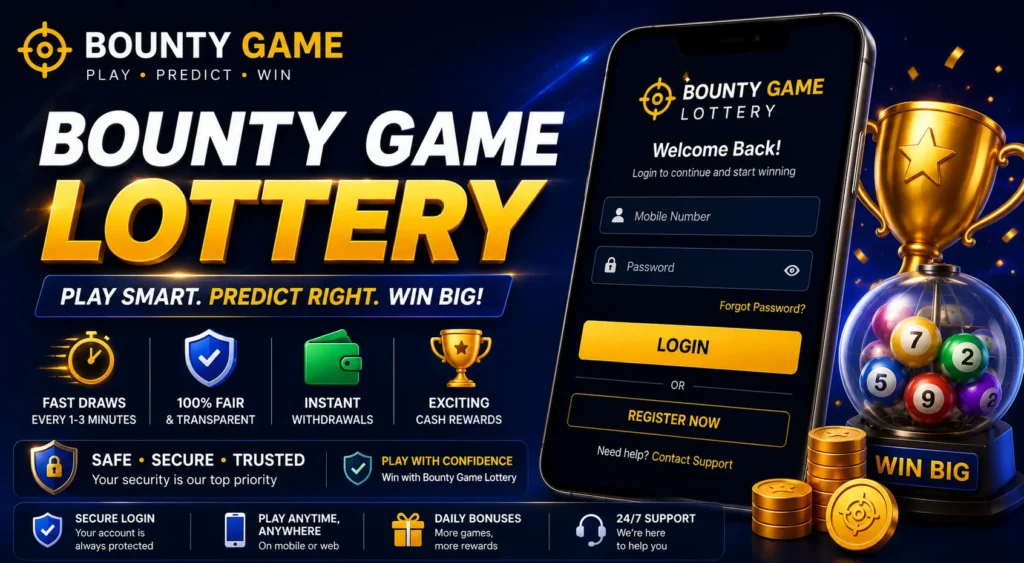
The fastest way to access Bounty Game Lottery is through the mobile app. Here is the complete login process:
Step 1 — Open the Bounty Game app Launch the Bounty Game app on your Android or iOS device. If you do not have the app installed yet, download it from the official Bounty Game website. The login screen appears automatically on launch if you are not already signed in.
Step 2 — Tap the Login button On the home screen, tap the Login button. It is located at the top-right corner of the app on most versions, or in the centre of the screen if you have never logged in before.
Step 3 — Enter your registered mobile number Type in the mobile number you used when creating your account. Make sure to include your country code — for India, that is +91 followed by your 10-digit number.
Step 4 — Enter your password Type in the password you set during registration. Bounty Game passwords are case-sensitive, so check that caps lock is off before entering it.
Step 5 — Tick “Remember Password” (optional) If you are on a personal device, tick the Remember Password checkbox. This saves your credentials so the app fills them in automatically on your next visit.
Step 6 — Tap the Login button Tap Login. The app will verify your credentials and redirect you to the main game dashboard within a few seconds.
Step 7 — Complete OTP verification (if prompted) On some logins — especially after a long gap or on a new device — the app may request an OTP for additional security. Enter the 6-digit code sent to your registered mobile number. Your account opens immediately after verification.
Bounty Game Lottery Login — Desktop Browser
If you prefer playing on a computer or your phone is unavailable, you can log in through any web browser:
Step 1 — Visit the official Bounty Game website Open Chrome, Safari, Firefox, or any browser and go to the official Bounty Game website. Do not log in through third-party links or unofficial sites — always go directly to the official domain.
Step 2 — Click Login in the top navigation On the homepage, find the Login button in the top-right corner of the navigation bar. Click it to open the login form.
Step 3 — Enter your mobile number and password Fill in your registered mobile number (with country code) and your password in the respective fields.
Step 4 — Click the Login button Click Login to submit. The system authenticates your credentials and loads your dashboard.
Step 5 — Verify via OTP if prompted If the platform asks for OTP verification, enter the code sent to your phone. This step appears most often after logging in from a new browser or device.
Once logged in via browser, you have full access to all Bounty Game Lottery games — WinGo, K3, 5D, and TRX Hash — exactly as you would on the app.
Bounty Game Lottery Login Not Working — Fix Every Error
This is the most important section if you are stuck. Here are all the common login problems with their solutions.
Wrong Password Error
Cause: Mistyped password or wrong credentials saved in your browser.
Fix:
- Clear the password field completely and retype manually — do not use autofill if the error persists
- Check that caps lock is off — passwords are case-sensitive
- Make sure you are entering the password for this account specifically (some players have multiple gaming accounts)
- If you cannot remember the password, go to the password reset section below
“Mobile Number Not Registered” Error
Cause: You may be entering the wrong number, or you registered with an email address instead of a mobile number.
Fix:
- Try logging in with your email address instead of mobile number
- Double-check the country code — entering 91 without the + prefix can cause errors on some app versions
- If neither works, you may need to create a new account via the [Bounty Game registration] page
Account Temporarily Locked
Cause: Too many failed login attempts trigger a temporary lockout as a security measure.
Fix:
- Wait 15–30 minutes before trying again
- Do not keep attempting — repeated tries during a lockout extend the waiting period
- Use the Forgot Password option to reset your credentials cleanly rather than guessing again
OTP Not Arriving
Cause: Network delay, DND (Do Not Disturb) enabled on your number, or wrong number entered.
Fix:
- Wait 60 seconds before requesting a resend — OTPs sometimes arrive with a short delay
- Check that your mobile data or Wi-Fi is active
- Check your SMS inbox — the OTP may have arrived in your spam or message filtering folder
- Confirm your number is not registered under DND, which blocks promotional and transactional messages from some services
- If the issue persists, try the Call OTP option (available on some app versions) which reads the code aloud via a phone call
App Stuck on Loading Screen After Login
Cause: Outdated app version, cache overload, or a temporary server issue.
Fix:
- Close the app completely and reopen it
- Clear the app cache: go to Settings → Apps → Bounty Game → Storage → Clear Cache
- Check if an app update is available in the Play Store or App Store and install it
- Try logging in through the browser version temporarily while the app issue resolves
“Server Error” or “Connection Failed” Message
Cause: Temporary platform downtime or a weak internet connection on your end.
Fix:
- Switch from Wi-Fi to mobile data (or vice versa) and try again
- Check if the Bounty Game platform is under maintenance — this is usually announced on their official social media channels
- Try again after 10–15 minutes
How to Reset Your Bounty Game Lottery Password
If you have forgotten your password, follow these steps to reset it without losing account access:
- Open the Bounty Game app or website and tap/click the Login button
- Below the password field, tap Forgot Password
- Enter your registered mobile number with country code
- Tap Send OTP — a reset code will be sent to your number
- Enter the OTP in the verification field
- Create a new password — at least 8 characters with uppercase, lowercase, and a number
- Confirm the new password by entering it again
- Tap Submit or Reset Password
- Log in immediately using your new credentials
Important: After resetting your password, log out of any other devices where you were previously signed in, then log back in with the new password on each device. This ensures account security across all sessions.
How to Navigate to Bounty Game Lottery After Login
Once your login is successful, you land on the main Bounty Game dashboard. Here is how to reach the lottery section directly:
- On the main dashboard, look for the Lottery or Games tab in the bottom navigation bar
- Tap Lottery — this opens the full lottery game lobby
- You will see all four formats: WinGo, K3, 5D, and TRX Hash
- Tap any game to open the live round in progress
- Add funds to your wallet if your balance is zero — go to Wallet → Deposit and complete a UPI or Paytm transfer
Each lottery game shows the current round timer and recent result history immediately on opening. You can place your first bet before the timer runs out with no additional setup needed.
For a full breakdown of how each lottery format works, see the [Bounty Game Lottery guide] which covers WinGo, K3, 5D, and TRX Hash rules in detail.
What You Can Access After Bounty Game Lottery Login
Logging in unlocks everything on the platform — not just lottery games. Here is a quick overview of what is available from your dashboard:
| Section | What it includes |
|---|---|
| Lottery | WinGo, K3, 5D, TRX Hash — live rounds every 1–3 min |
| Colour Prediction | WinGo-based colour betting — Red, Green, Violet |
| Casino | Slots, Baccarat, Dragon Tiger, Poker, Andar Bahar |
| Aviator | Crash-style game with multiplier betting |
| Wallet | Deposit, withdraw, view transaction history |
| Promotions | Welcome bonus, daily login bonus, referral rewards |
| Referral | Your unique invite code and commission dashboard |
| Support | 24/7 live chat and help centre access |
The Promotions section is worth checking every time you log in. Daily login bonuses are credited automatically, and limited-time promotions occasionally offer deposit bonuses that are easy to miss if you do not check regularly.
If you want to learn more about colour prediction — one of the most popular post-login activities — the [Bounty Game colour prediction] guide covers all bet types, the colour-number mapping, and payout rates in full.
How to Keep Your Bounty Game Lottery Login Secure
Your login credentials control access to your wallet and winnings. A few simple habits protect your account from unauthorised access:
Use a unique password. Do not reuse a password you use on other apps or websites. If that password is ever compromised on another platform, your Bounty Game account remains protected.
Do not share your OTP. Bounty Game will never ask for your OTP via WhatsApp, email, or phone call. If anyone contacts you asking for your OTP, it is a scam — ignore and report it.
Enable Remember Password only on personal devices. On a shared or public device, always untick Remember Password and log out manually after each session.
Log out after each session on shared devices. Go to your profile icon and select Logout. This clears your active session so no one else can access your account.
Check your login history. Some app versions show recent login activity in your account settings. Review this occasionally to spot any unfamiliar logins.
Frequently Asked Questions — Bounty Game Lottery Login
Where is the Bounty Game Lottery Login page? The login page is accessible directly in the app by tapping Login on the home screen, or on the official Bounty Game website by clicking the Login button in the top-right corner.
Can I log in to Bounty Game Lottery without a password using OTP? Yes. Some versions of the app offer an OTP-based login option. On the login screen, look for a Login with OTP or OTP Login option. Enter your mobile number, receive the code, and enter it to log in without a password.
Why does Bounty Game keep logging me out? Automatic logouts happen after extended inactivity or when you log in on a new device. This is a security feature. Re-enter your credentials to resume your session.
Can I use the same login on multiple devices? Yes. Your Bounty Game account can be accessed on multiple devices using the same credentials. However, active sessions on multiple devices simultaneously may trigger a security OTP check.
I registered but cannot log in — what should I do? Confirm that you registered successfully (you should have received a welcome SMS or in-app notification). If registration is confirmed but login fails, use the Forgot Password option to set new credentials and try again.
Is the Bounty Game Lottery Login the same as the regular Bounty Game login? Yes. There is a single login for the entire Bounty Game platform. Logging in gives you access to all game types — lottery, colour prediction, casino, and all other sections — through one account.
Can I recover my account if I no longer have access to my registered number? Contact Bounty Game’s 24/7 customer support via live chat in the app. Account recovery through support requires identity verification before credentials are restored.
Final Thoughts
Getting through the Bounty Game Lottery Login takes seconds when everything is working correctly. When it is not — a forgotten password, an OTP delay, or an account lock — the fixes are straightforward once you know what to look for.
Bookmark this page for quick reference. The troubleshooting section covers every common login error with a direct fix, so you are never stuck out of your account for long.
Once you are in, head straight to the Lottery section. If you are new to the platform and have not registered yet, the [Bounty Game registration] guide walks you through creating your account in under two minutes.
More guides in this series:
- [Bounty Game Registration] — Complete Sign-Up Guide (2026)
- [Bounty Game Lottery Guide] — WinGo, K3, 5D & TRX Hash Explained
- [Bounty Game Colour Prediction] — How It Works + All Bet Types
- [How to Download Bounty Game APK] — Android Install Guide (2026)